Best Video Editing Apps in 2026: Top Picks for Beginners, YouTubers & Professionals
Explore the best video editing apps in 2026 for beginners, YouTubers, and professionals. Compare features, pricing, AI tools, and find the right editor.
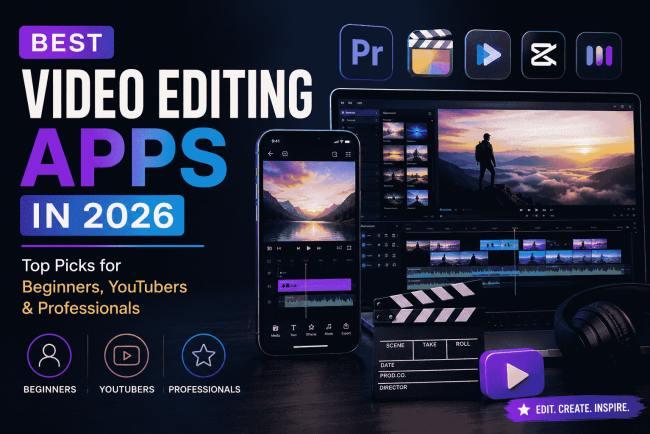
Video content continues to dominate online platforms in 2026. From YouTube videos and Instagram Reels to business presentations and educational content, more people are creating videos than ever before. However, choosing the right editing tool can be challenging with hundreds of video editing apps available.


The best video editing app depends on your experience level, editing goals, and the type of content you create. Beginners may need simple tools with ready-made templates, while professional creators often look for advanced controls, better performance, and powerful effects.
In this guide, we will explore the best video editing apps in 2026 for beginners, YouTubers, and professionals, along with their key features and ideal use cases.
What Makes a Good Video Editing App in 2026?
A great video editing app should make the editing process easier while providing enough creative control. Modern editors now include AI-powered features, automation tools, and advanced effects that were previously only available in professional software.
Before choosing an editor, consider these important features:
Easy-to-use interface: Beginners need simple navigation and clear editing tools without a steep learning curve.
AI-powered editing features: Many apps now offer automatic captions, background removal, smart cuts, and AI-generated effects.
High-quality exports: A good editor should support HD, 4K, and different formats for platforms like YouTube, TikTok, and Instagram.
Templates and creative assets: Ready-made templates, transitions, music, and effects help creators produce content faster.
Cross-platform support: The ability to edit across mobile, desktop, and cloud platforms is becoming increasingly important.
1. CapCut: Best Video Editing App for Beginners and Social Media Creators
CapCut has become one of the most popular video editing apps because of its simple interface and powerful features. It is especially popular among TikTok, Instagram, and short-form video creators.
The app provides a wide range of templates, effects, filters, transitions, and AI-based editing features. Beginners can create professional-looking videos without spending hours learning complex editing techniques.
Key Features:
- AI-powered effects and editing tools
- Automatic captions
- Large template library
- Background removal
- Music and sound effects
- Mobile and desktop editing support
Best For:
- Beginners
- Social media creators
- Short-form video editing
- Quick content creation
CapCut is a strong choice for users who want fast results without advanced editing experience.
2. Adobe Premiere Pro: Best Professional Video Editing Software
Adobe Premiere Pro remains one of the leading choices for professional video editors, filmmakers, and content creators who need advanced editing capabilities.
Unlike beginner-focused apps, Premiere Pro offers detailed control over every part of the editing process, including color grading, audio adjustments, motion graphics, and multi-layer editing.
Key Features:
- Advanced timeline editing
- Professional color correction
- AI-powered editing assistance
- Motion graphics integration
- High-quality audio tools
- Support for multiple file formats
Best For:
- Professional video editors
- YouTube channels with advanced production
- Film and commercial projects
- Marketing teams
The learning curve is higher compared to simpler apps, but it provides the flexibility required for professional-level projects.
3. Canva Video Editor: Best for Simple Business and Marketing Videos
Canva has expanded beyond graphic design and now offers a simple video editing platform suitable for creators, businesses, and marketers.
Its drag-and-drop editor makes it easy to create videos using templates, stock footage, animations, and brand elements. Users can create social media videos, advertisements, presentations, and promotional content without advanced editing skills.
Key Features:
- Drag-and-drop editing
- Thousands of video templates
- Stock videos and audio
- AI design features
- Brand customization options
Best For:
- Small businesses
- Marketers
- Social media managers
- Beginners
Canva Video Editor is ideal for users who prioritize speed and simplicity over complex editing controls.
4. DaVinci Resolve: Best Free Professional Video Editor
DaVinci Resolve is one of the most powerful video editing applications available, offering professional features in its free version.
It is widely used by filmmakers and experienced editors because of its advanced color grading, audio editing, and visual effects capabilities.
Key Features:
- Professional color correction tools
- Advanced audio editing
- Visual effects workspace
- Multi-camera editing
- 4K video support
Best For:
- Professional creators
- Filmmakers
- Advanced video editors
- Users looking for a free professional tool
Although beginners may need more time to learn the software, it provides excellent value for creators who want advanced features without a subscription.
5. VN Video Editor: Best Free Mobile Video Editing App
VN Video Editor has gained popularity among mobile creators who want advanced editing features without paying for premium software.
The app combines an easy interface with useful editing tools, making it suitable for YouTube Shorts, Instagram Reels, and personal projects.
Key Features:
- Multi-layer editing
- Speed control
- Video effects
- Custom transitions
- No watermark exports
Best For:
- Mobile creators
- Beginners
- Social media videos
- Travel and lifestyle content
VN is a practical option for users who want more control than basic mobile editors provide.
Best Video Editing Apps Based on Your Needs
Choosing the right video editing app depends on what you want to create.
Best for beginners:
CapCut and Canva Video Editor offer simple tools and ready-made templates.
Best for YouTube creators:
Adobe Premiere Pro and DaVinci Resolve are better choices for long-form content and professional production quality.
Best free video editing app:
DaVinci Resolve and VN Video Editor provide strong features without requiring a paid subscription.
Best for mobile editing:
CapCut, VN Video Editor, and Canva are ideal for creating content directly from smartphones.
Best AI video editing app:
Apps with AI features like CapCut and Adobe Premiere Pro help automate repetitive tasks such as captions, effects, and editing suggestions.
How to Choose the Right Video Editing App in 2026
Before selecting a video editing app, think about your content goals and experience level. Following the right Video Editing Tips can help you choose a tool that matches your creative needs and makes the editing process easier.
If you are a beginner creating social media content, choose an app with templates and simple editing controls. If you are building a YouTube channel or working on professional projects, investing time in advanced software can provide better results.
Also consider your device performance, storage requirements, export quality, and whether you need collaboration features.
The best editor is not always the one with the most features. It is the one that fits your workflow and helps you create content consistently.
Final Thoughts
The best video editing apps in 2026 offer options for every type of creator, from beginners making their first videos to professionals producing high-quality content.
Apps like CapCut and Canva make editing accessible for everyday users, while Adobe Premiere Pro and DaVinci Resolve continue to serve creators who need advanced capabilities. Meanwhile, mobile-focused tools like VN Video Editor provide flexibility for creators who prefer editing on the go.
Before choosing an app, consider your editing skills, content goals, and required features. The right video editing tool can make the creative process smoother and help you produce better videos with less effort.
What's Your Reaction?